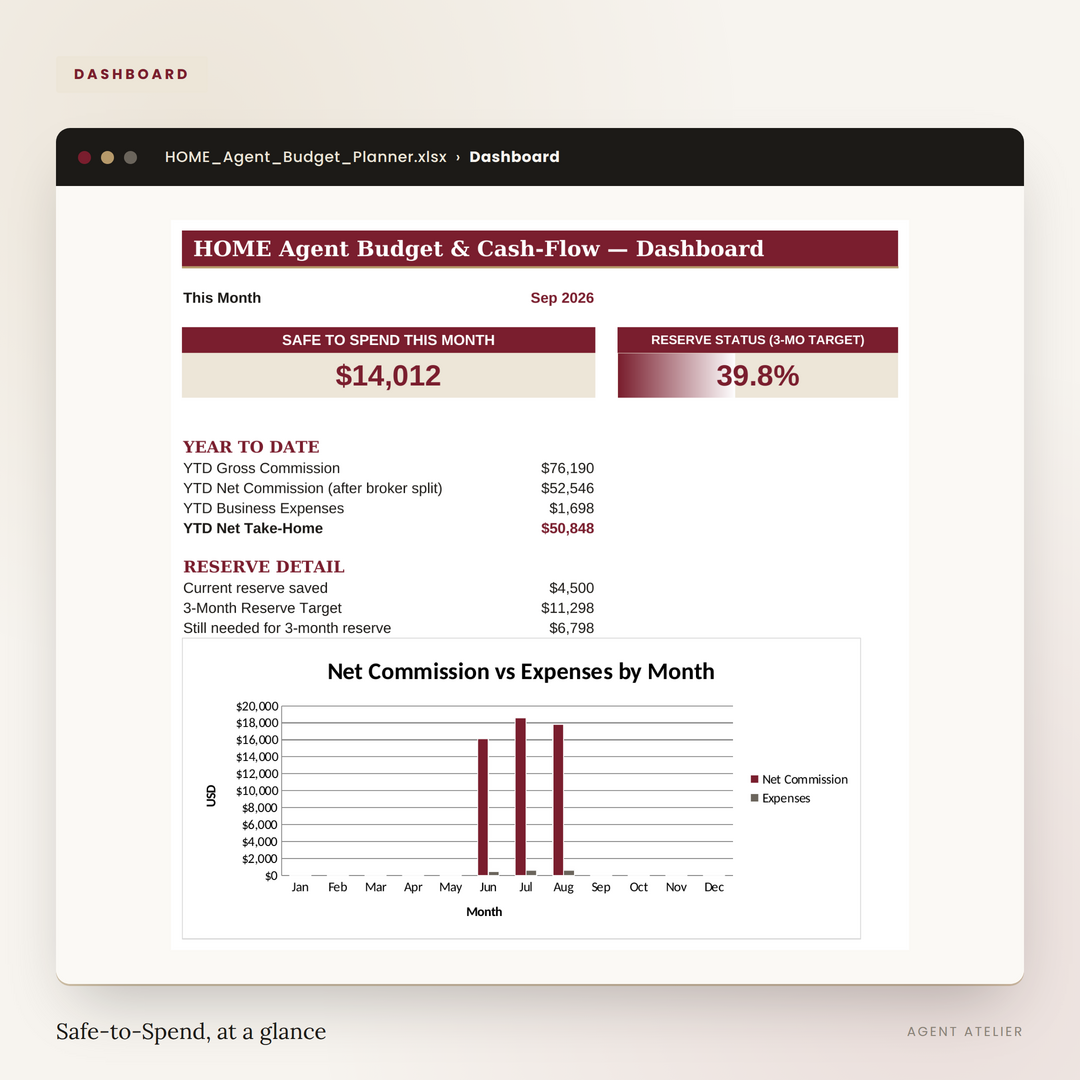
Built for irregular, commission-based income — not a generic budget template. Know exactly what's safe to pay yourself this month, even on a slow one.
Log what happens — the sheet does the math and tells you what's safe to spend.
Sale price, commission %, your broker split. Gross and net commission calculate themselves.
Pick a tax category from the dropdown — the Tax Summary tab sorts itself by quarter.
Once a month. It tells you what's safe to pay yourself — nothing to calculate.
Instant download with a real .xlsx workbook (opens in Excel, and imports cleanly into Google Sheets) plus a short .pdf quick-start guide.
The download link appears the moment checkout completes and is emailed to you as well.
Single-agent licence: use it for every year and every closing, forever, under your own numbers.
You may not resell, redistribute, or share the source file.
30-day money-back guarantee. Email agent.atelier@yahoo.com within 30 days and we'll refund you in full. No questions asked.
No. It opens natively in Excel, and imports cleanly into Google Sheets (File → Import → Upload) if that's what you use. All the formulas carry over.
Use the manual override cell on the Reserve tab to enter an estimated monthly expense figure. Once you have 3 months of real data logged, switch it back to 0 and the automatic trailing average takes over.
Yes — the workbook is built for one calendar year at a time. Duplicate the file each January to start the next year fresh, and keep the old one as your archive.